
From the first call to the last rupee.
Leads, proposals, GST invoices and payments, laid out the way a solar job really runs. This is the real app.
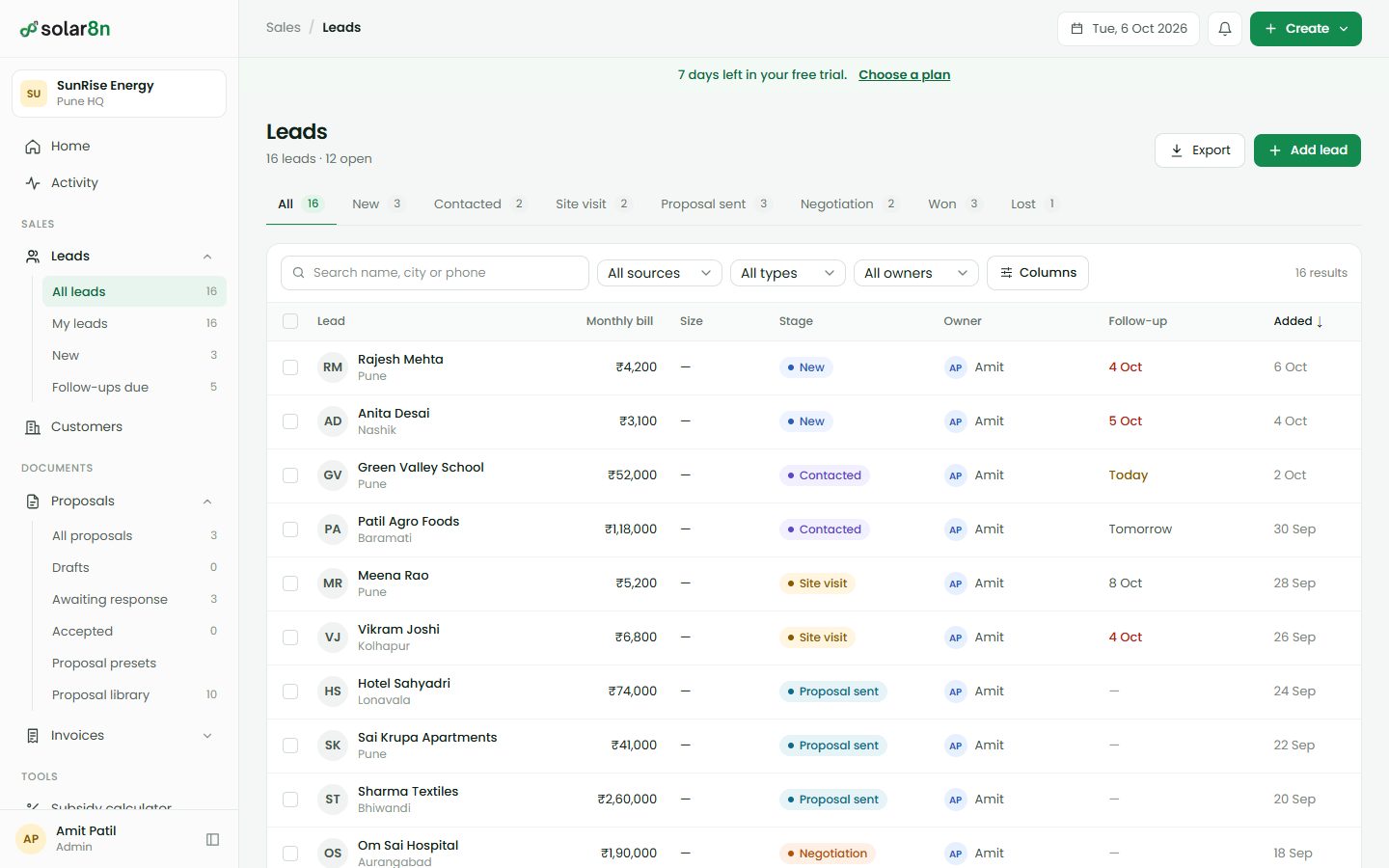
Every enquiry in one list. None of them twice.
From your website, a call, a walk-in or IndiaMART. Each one lands in Leads with a stage, an owner and a follow-up date.
- One phone, one lead.
- A phone number or an email can only sit on one lead. Add it again and solar8n shows who already has it.
- Follow-ups that find you.
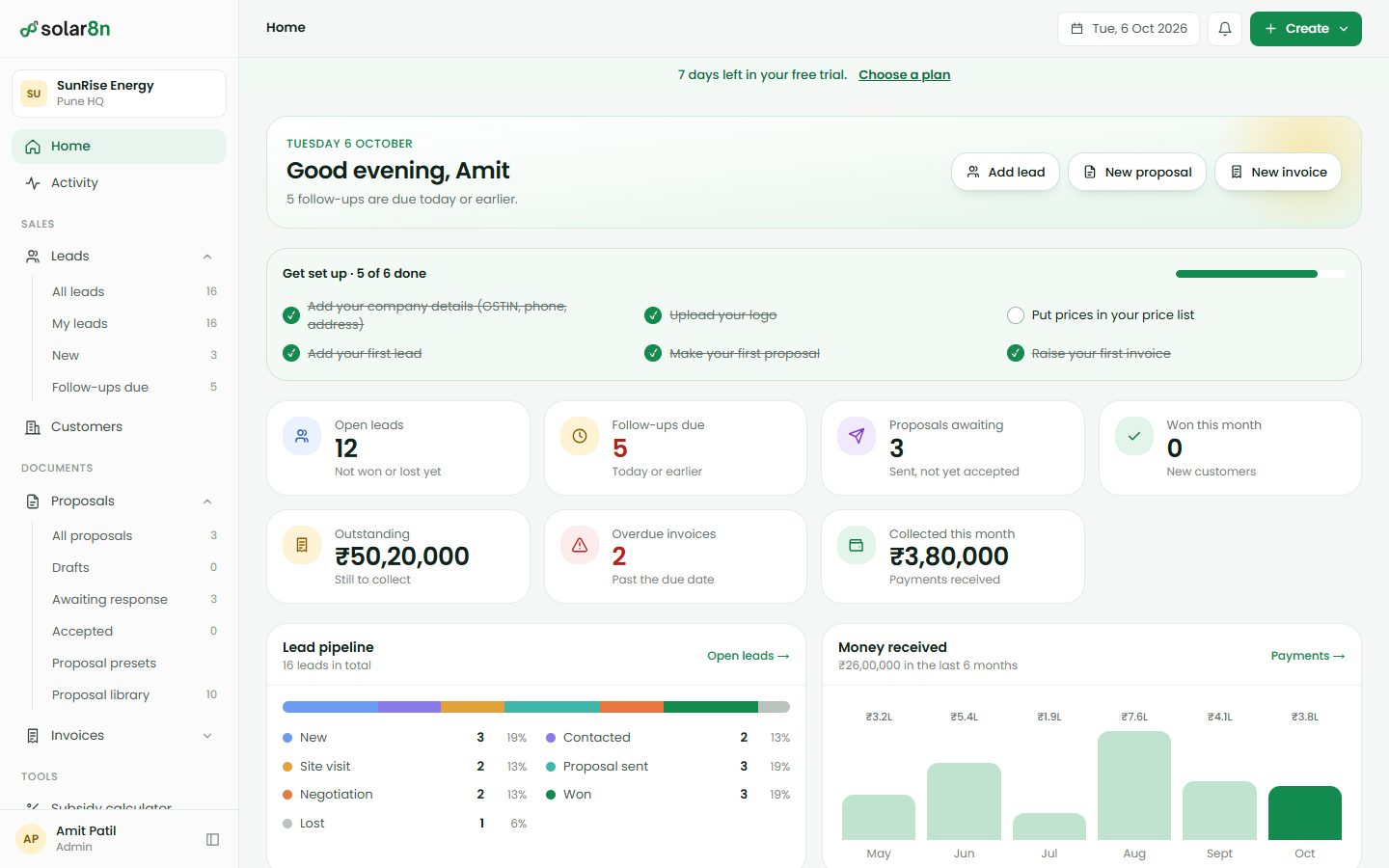
- What is due today and what is late waits on Home each morning, with a count in the menu.
- Routed by city.
- A new lead goes to the branch that serves its city, and to the default branch when none does.
- Take it to a spreadsheet.
- Export leads and customers as CSV. Assign an owner or change the stage for many leads at once.
Enter the kW. A proposal builds itself.
Panels, inverter, cable and quantities come from your own price list. Savings and subsidy are worked out. The customer gets a link they can accept.
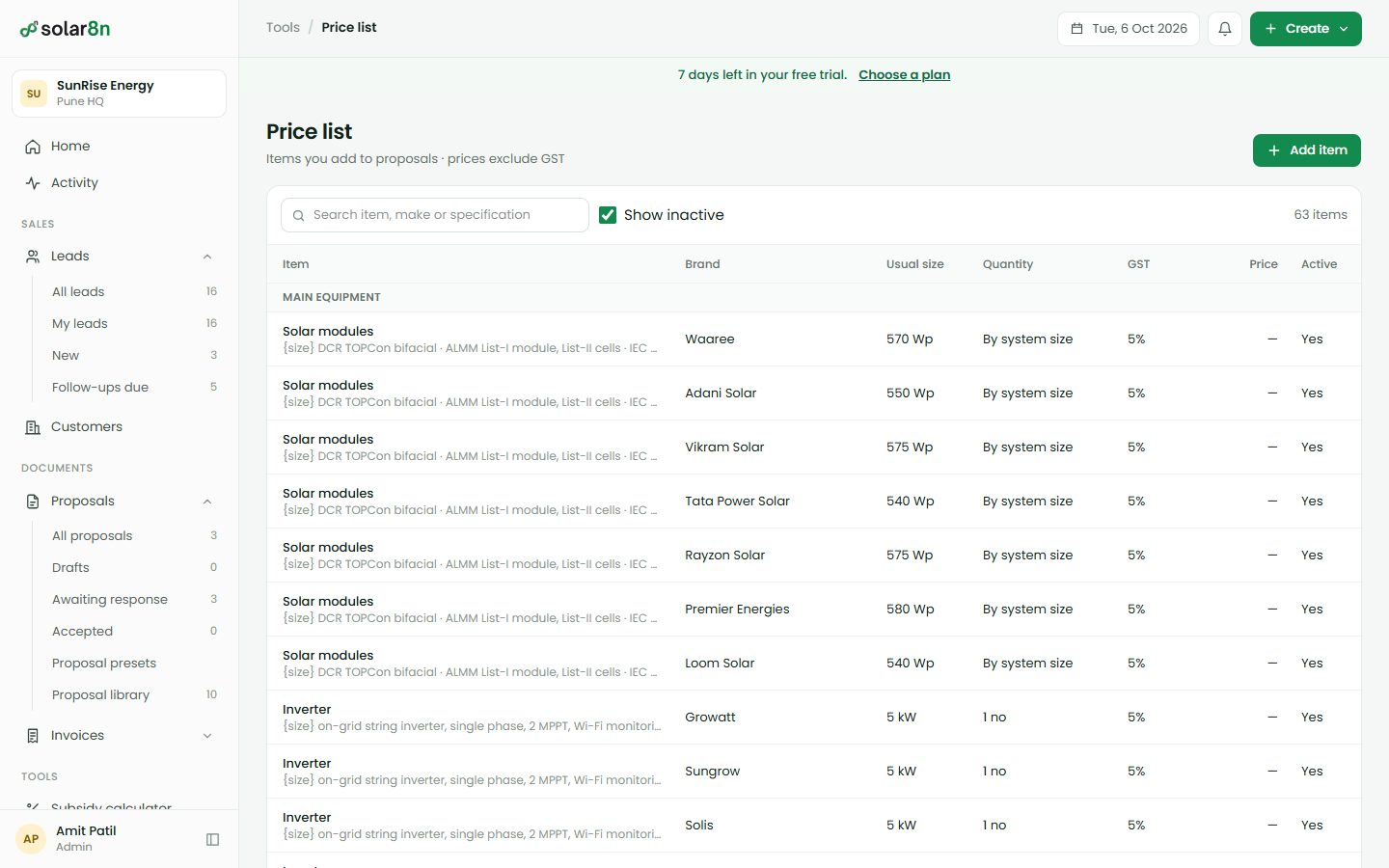
- Your prices, filled in.
- Put your rates in the price list once. Every new proposal picks them up, and you can change any line.
- Savings people can follow.
- Yearly generation, payback, CO₂ avoided and 25-year savings, with the PM Surya Ghar estimate for homes.
- 20 designs.
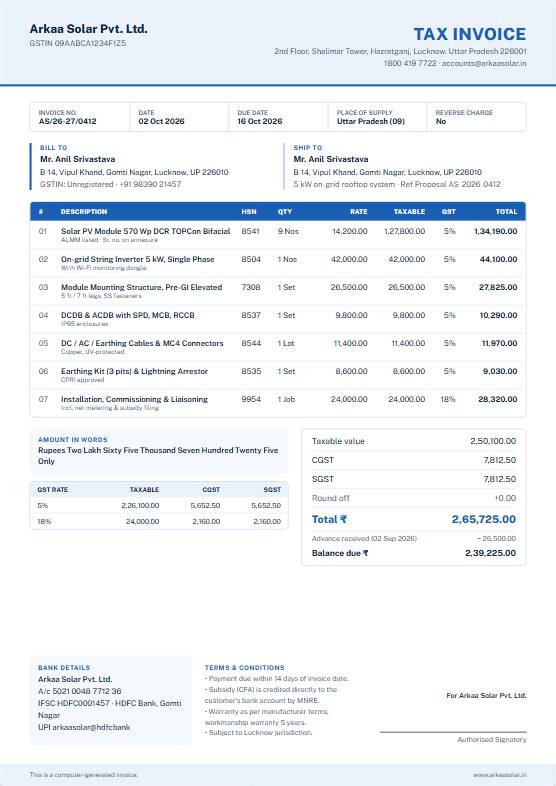
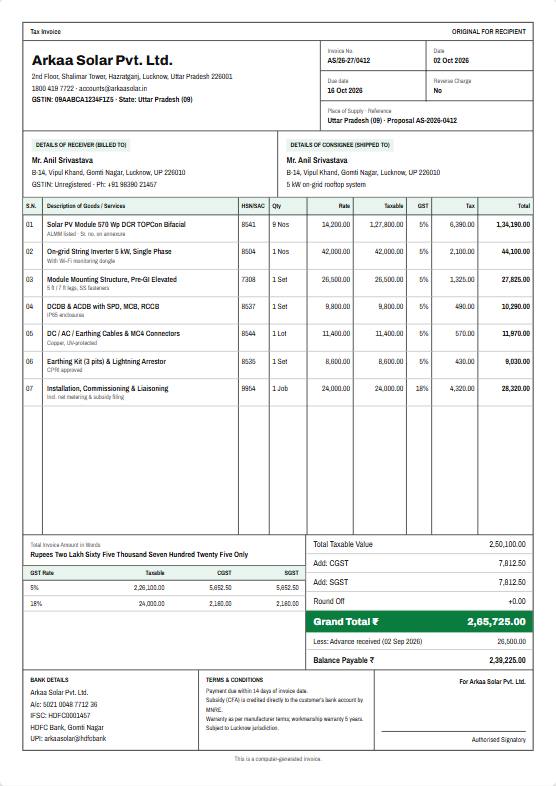
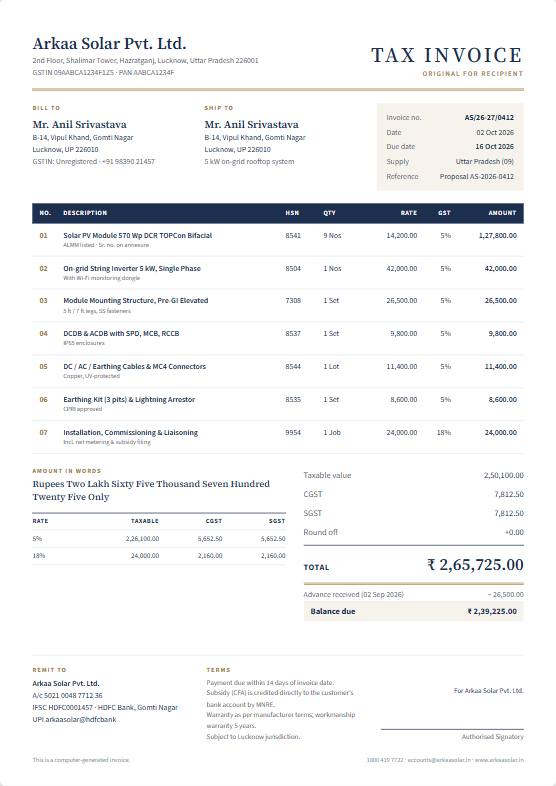
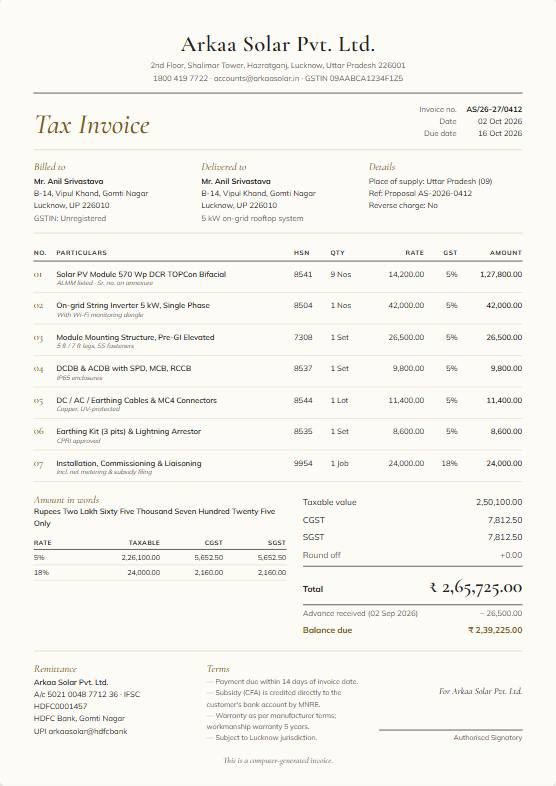
- Your logo, brand colour, terms and company details on all of them. Choose a default, switch whenever.
- You see when it is opened.
- Send the link on WhatsApp or email. When the customer opens it, it shows on your Home screen.






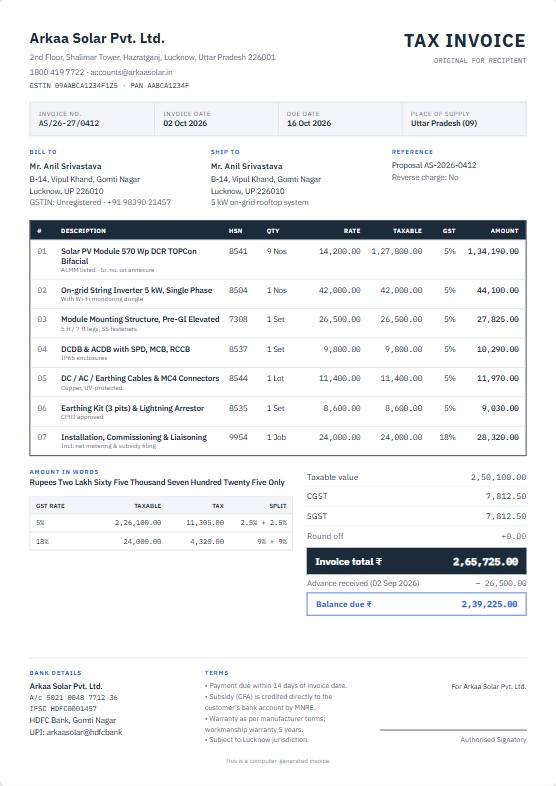
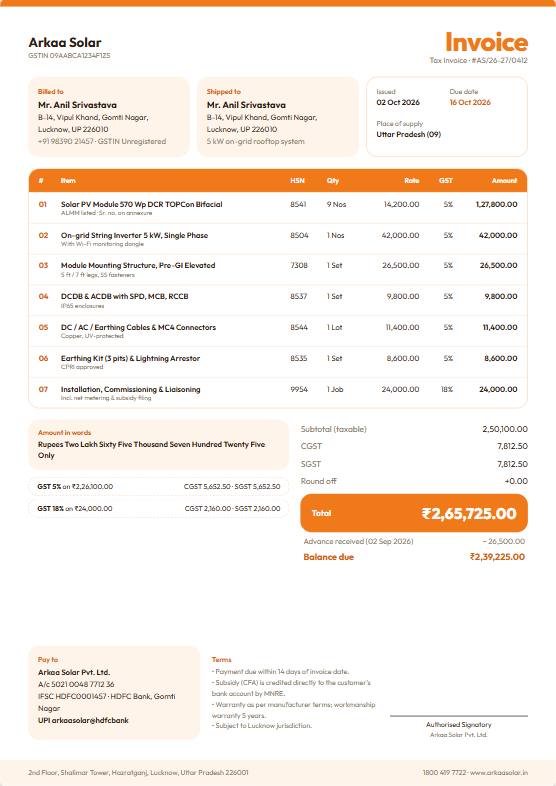
GST invoices that add up.
Once the customer accepts, raise the invoice from the proposal. Nothing is typed twice.
- CGST and SGST, or IGST.
- Worked out line by line with HSN or SAC codes, and the total in words, the way a tax invoice should read.
- Milestone invoices.
- Bill the advance, the installation and the commissioning separately against the same proposal.
- Credit notes, not edits.
- A mistake on an issued invoice is fixed with a credit note. The original stays as it was sent.
- Numbers by financial year.
- INV-2627-0001, then 0002. They restart on 1 April and never repeat.
Know who owes what, without asking.
Record each payment against its invoice. The rest follows by itself.
- Part-paid and overdue, tracked.
- Balances update with every payment, and an invoice past its due date is marked overdue.
- Outstanding at a glance.
- Home shows what is still to collect, what is overdue and what came in this month.
- Six months of money received.
- A month-by-month chart of what actually reached your account.
- Share or download.
- Send an invoice by link, WhatsApp or email, or download the PDF.
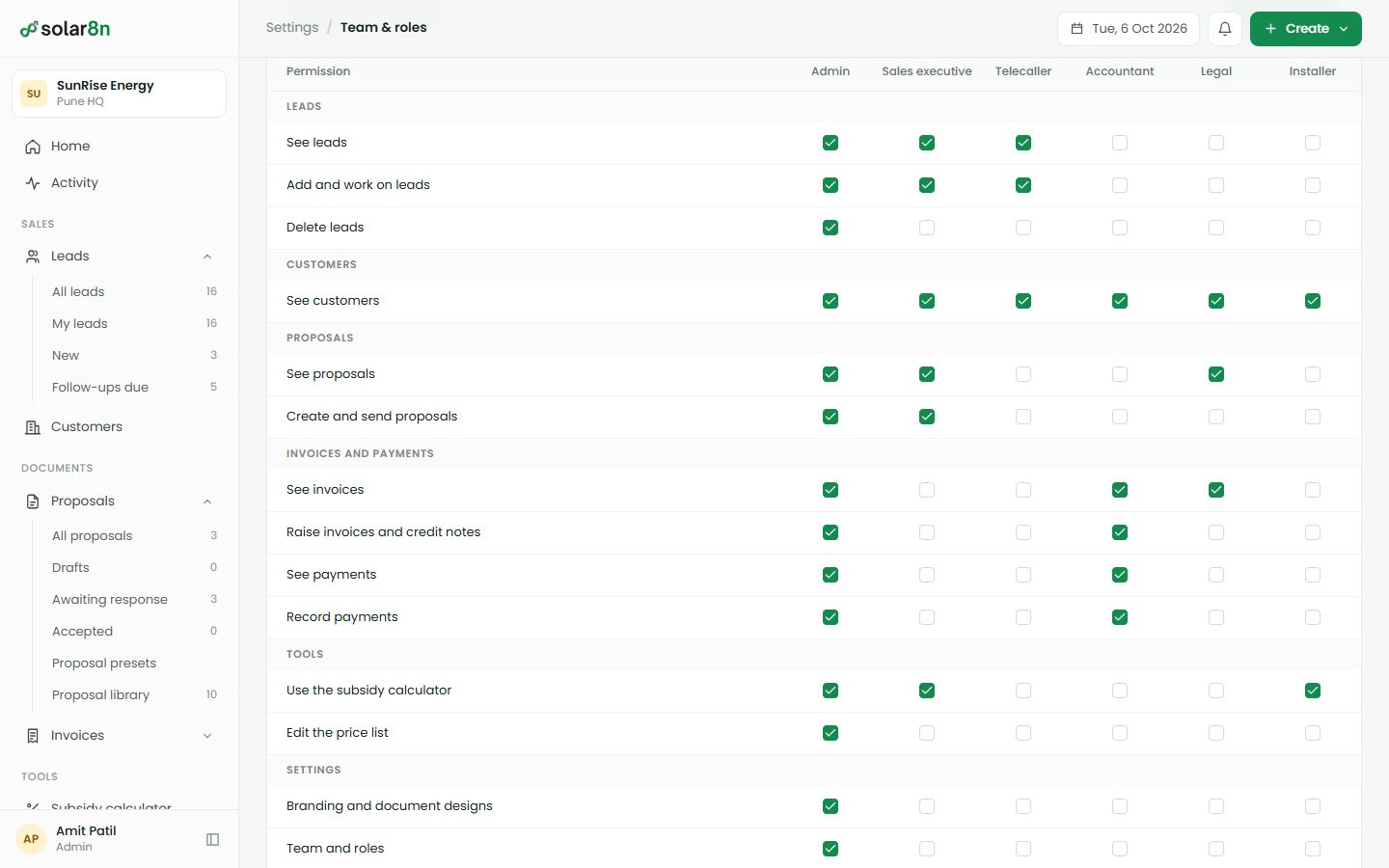
Everyone sees their part, and only their part.
Bring in the sales team, telecallers, the accountant and the installers. You decide what each role can do.
- Six roles, and you set them.
- Tick what each role may do: see leads, send proposals, raise invoices, record payments, edit prices.
- Branches kept apart.
- Give a person one branch or all of them. Leads, customers and documents stay in their branch.
- Safe sign-in.
- A new member signs in with a temporary password and must change it. Five wrong tries lock the account for a while.
- Switch people off in a click.
- A member you switch off is signed out at once, even if they are logged in elsewhere.
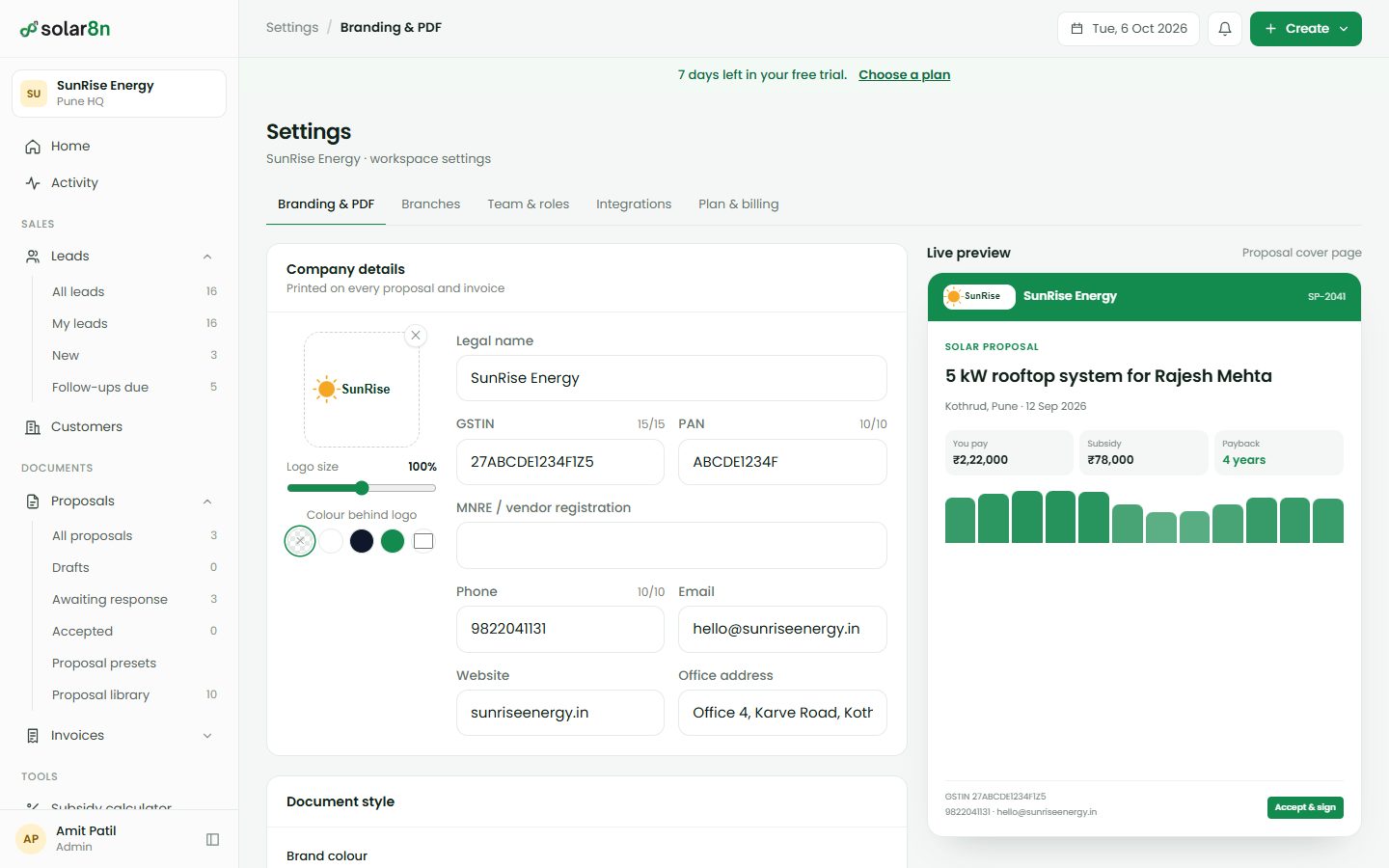
Documents that look like your company's own paper.
Upload the logo once. It goes on every proposal, invoice and credit note.
- Logo, sized and placed.
- Make it larger or smaller, and choose a colour behind it when the logo has a see-through background.
- Your colour on the design.
- Pick a brand colour and each of the 20 designs picks it up.
- Company details once.
- GSTIN, PAN, address, bank and UPI, and your terms, filled in on every document.
- Save your own wording.
- Edit the text of a proposal or save it as a preset to reuse.
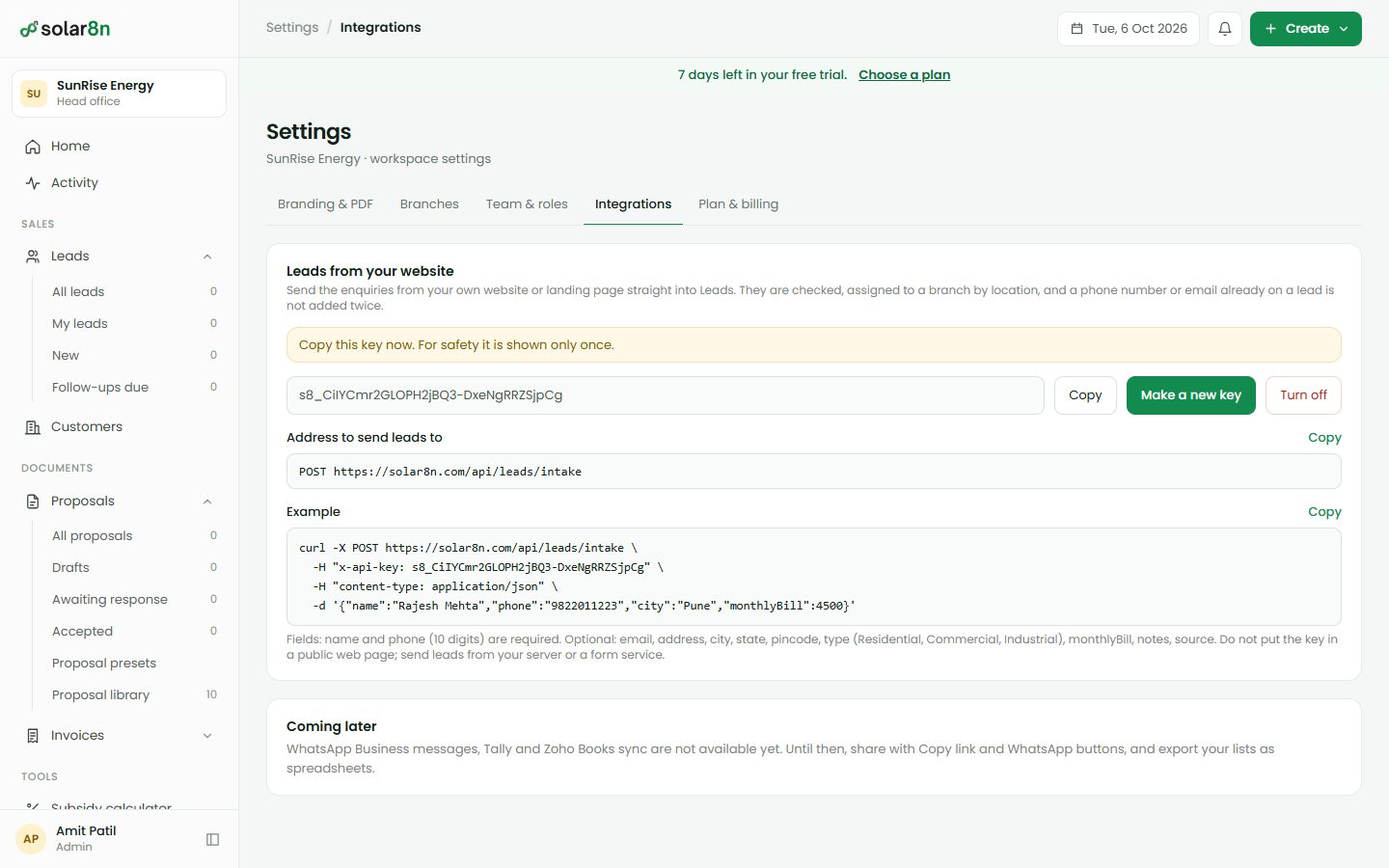
Leads from your own website, straight in.
Your website form, a landing page or a lead portal can post enquiries into Leads.
- A private key.
- Make a key in Settings, copy it once, and switch it off whenever you like.
- One simple request.
- POST the name, phone and city as JSON. The lead is checked, routed and added.
- Duplicates refused.
- The same phone number or email is turned away, exactly as it is inside the app.
- Priced from your list.
- The proposal that follows uses your own price list, the same as one made by hand.
The details, for the careful
What your accountant and your installers will ask about.
- Document numbers
- Follow the financial year: INV-2627-0001, CN-2627-0001, SP-2627-0001. They restart each 1 April.
- GST
- CGST and SGST inside the state, IGST outside it. HSN or SAC on each line, and the amount in words.
- Subsidy
- PM Surya Ghar estimate for homes: ₹30,000 a kW for the first 2 kW, ₹18,000 for the third, capped at ₹78,000.
- Savings maths
- Peak sun hours by state, an allowance for heat and dust, and a small yearly drop in output over 25 years.
- Sharing
- Private link, WhatsApp, email, or a PDF download. Customers open the link without signing in.
- Exports
- Leads and customers as CSV, ready for a spreadsheet.
- Lead API
- POST /api/leads/intake with an x-api-key header. Duplicates are refused.
- Roles
- Admin, Sales executive, Telecaller, Accountant, Legal and Installer. The Admin sets what each can do.
- Plans
- 7 days free, then ₹7,000 a month or ₹15,000 for three months, plus GST. Unlimited proposals and invoices.
See your first proposal built live
Book a 20-minute demo. We'll create a real proposal and invoice using one of your customers' bills.